 Home Services
One place that knows everything about your home lab.
Hosts, services, projects, domains, costs and health checks — plus an MCP server so your AI agent can read it and propose changes without ever seeing a password.
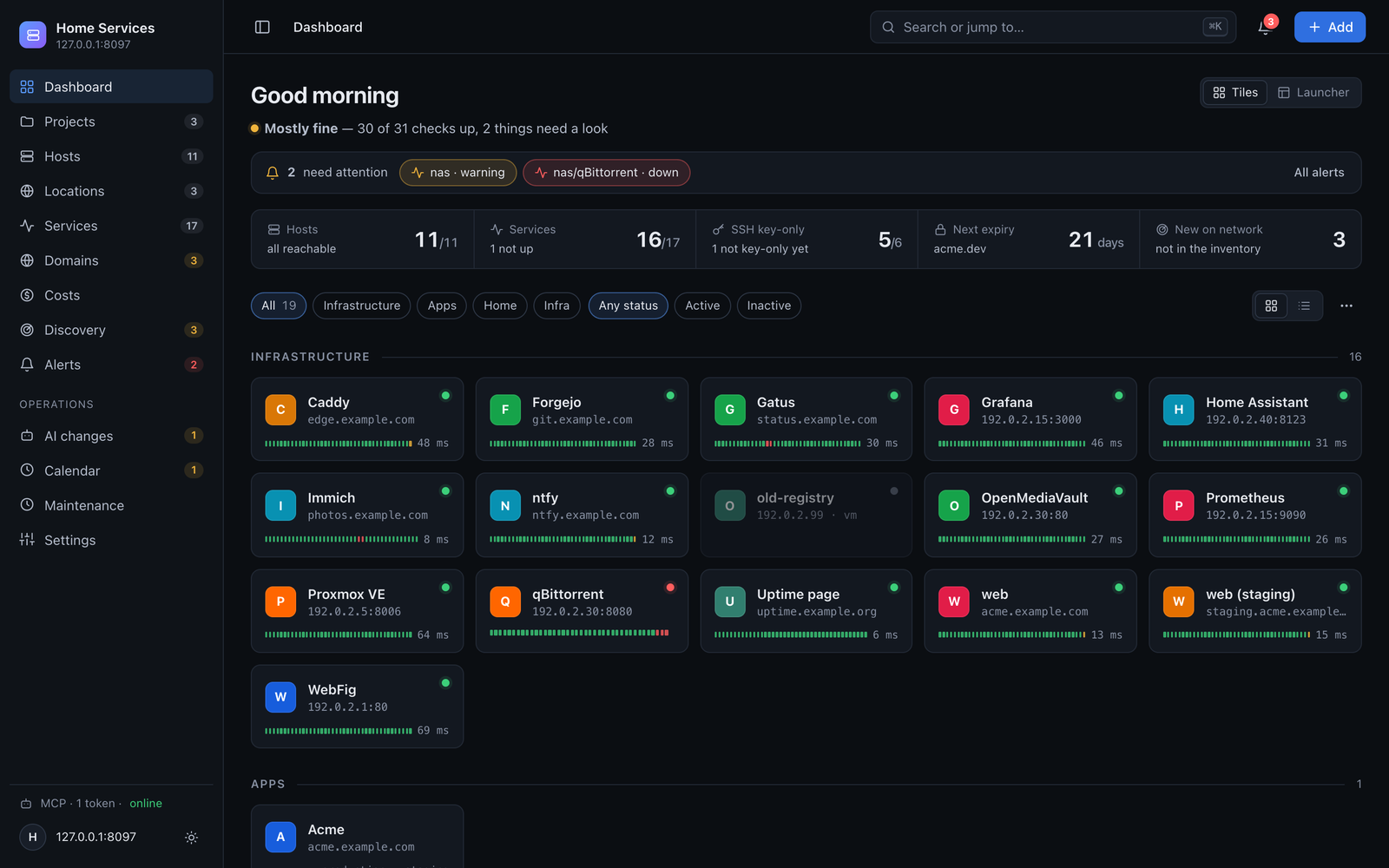
Everything a home lab accumulates, in one place
An inventory that checks itself, so it never goes stale.
Inventory
Hosts (VM, LXC, bare metal, VPS) with addresses, SSH logins and tags; services with ports and domains; locations; projects with environments, app links and runbooks.
Health checks
TCP, HTTP, TLS expiry, DNS and SSH-key checks on a schedule, with 24-hour availability bars, incident history and maintenance windows.
Alerts
ntfy, Gotify and webhooks with flap protection, new-device alerts, a weekly digest and domain-renewal reminders.
Discovery
Scan your subnets, recognise what answers by port, page title and favicon, then register it with one click — or ignore it.
Domains & costs
Registrar, expiry, DNS records, and every recurring cost in any currency — even live electricity from Home Assistant, Shelly or Tasmota.
No passwords stored
Logins are method + account + a link to your password manager. Safe to share with an agent. Sign in with a password or your Authelia / Authentik proxy.
Built for AI agents — with a human in the loop
Connect Claude Code or any MCP client. It can search, probe and propose; you review and apply.
Agents propose. You apply.
A propose-scope token lets an agent queue a changeset — "add this host, link that service" — with the evidence for each change. You read it, apply it in one click, and can undo it later.
- Scopes:
read,propose,write - 42 tools: search, probe,
used_by("what breaks if this is down?"), free-port suggestions… - Never receives a password or an integration secret
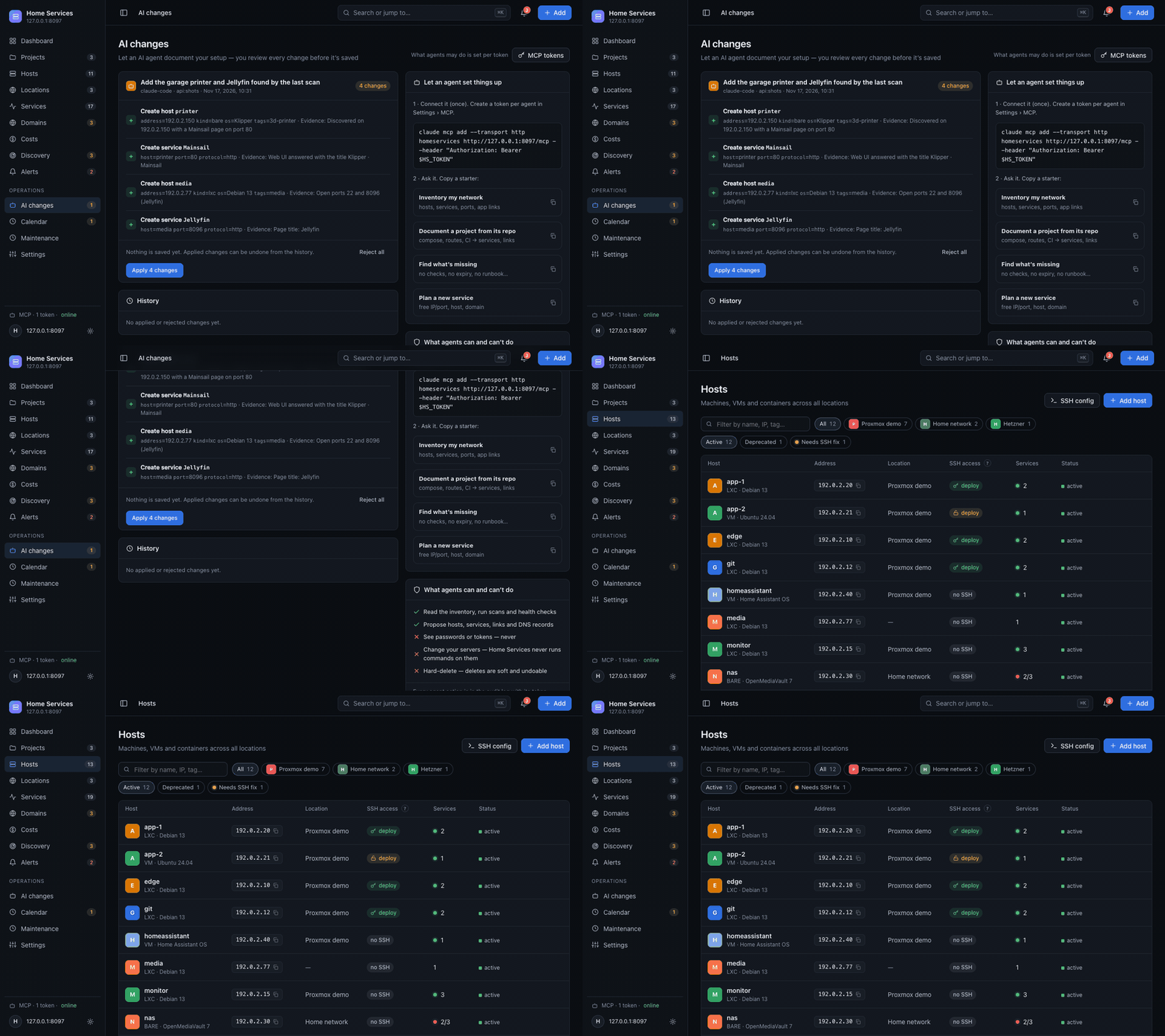
./bin/homeservices token create --name claude-code --scope propose
claude mcp add --transport http homeservices http://localhost:8080/mcp \
  --header "Authorization: Bearer hs_…"
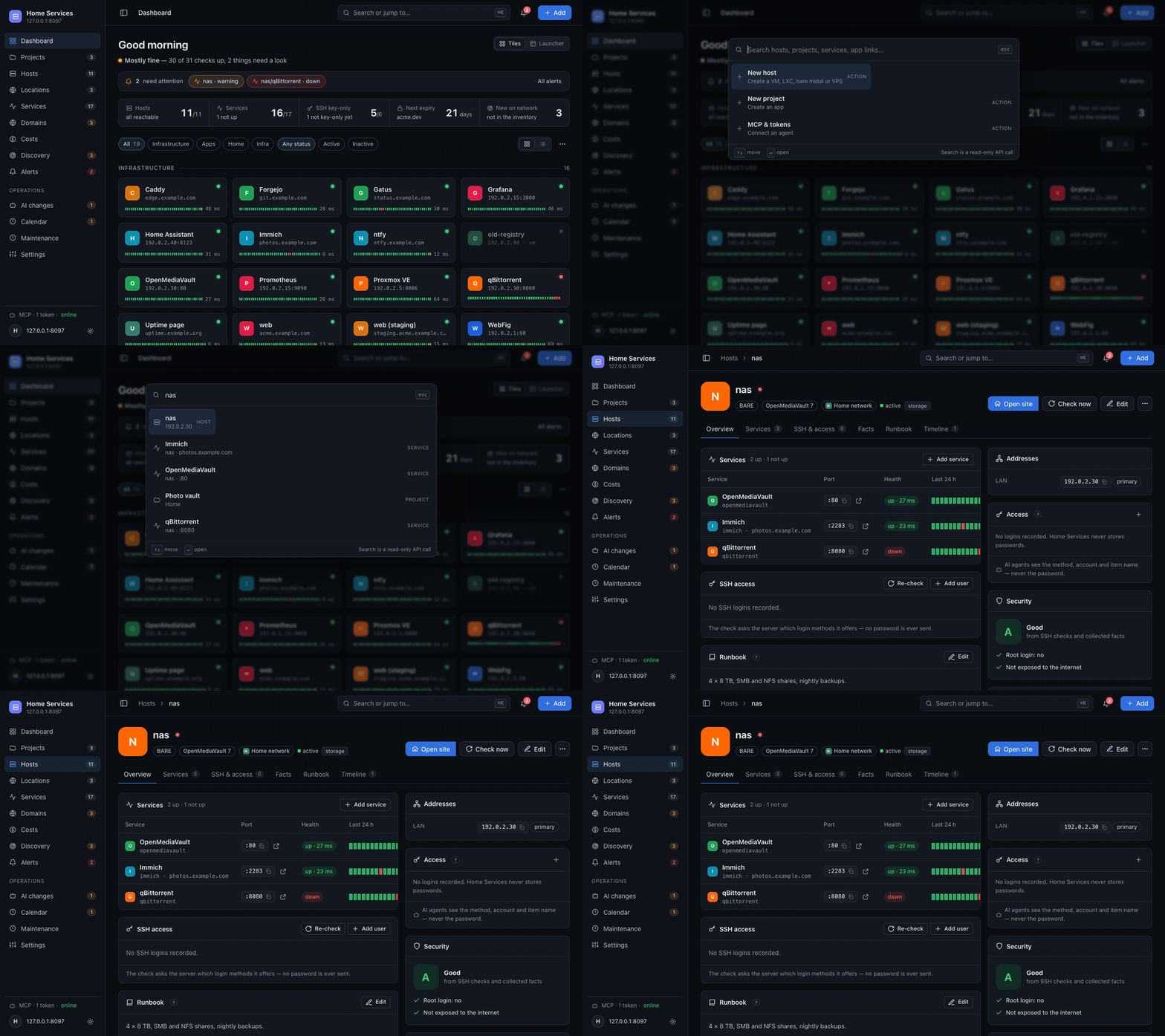
Find anything in a keystroke
Press Ctrl/⌘ + K to search hosts, services, projects, app links and locations — or to jump straight to a new host or project.
- Tiles or launcher home page, light and dark themes
- A dependency map: what breaks if the NAS goes down?
- Active / inactive filter, favourites, sortable tables
- Phone-friendly layout
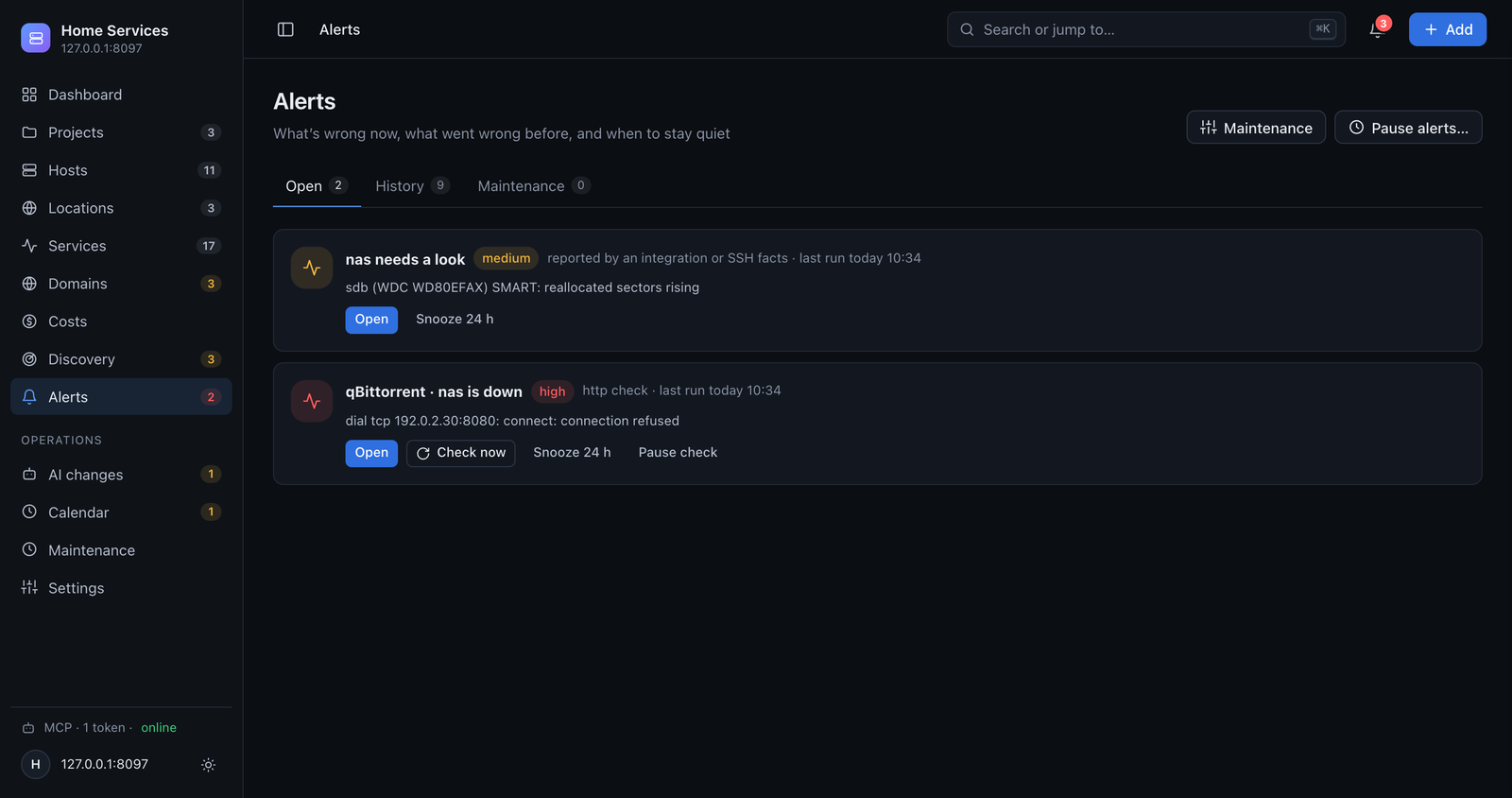
See what is wrong — and since when
The Alerts page lists what needs a look now, the history of incidents over 24 hours, 7 or 30 days, and any maintenance windows. Disk, pool and UPS warnings from your integrations appear here too.
Hosts, with everything about them
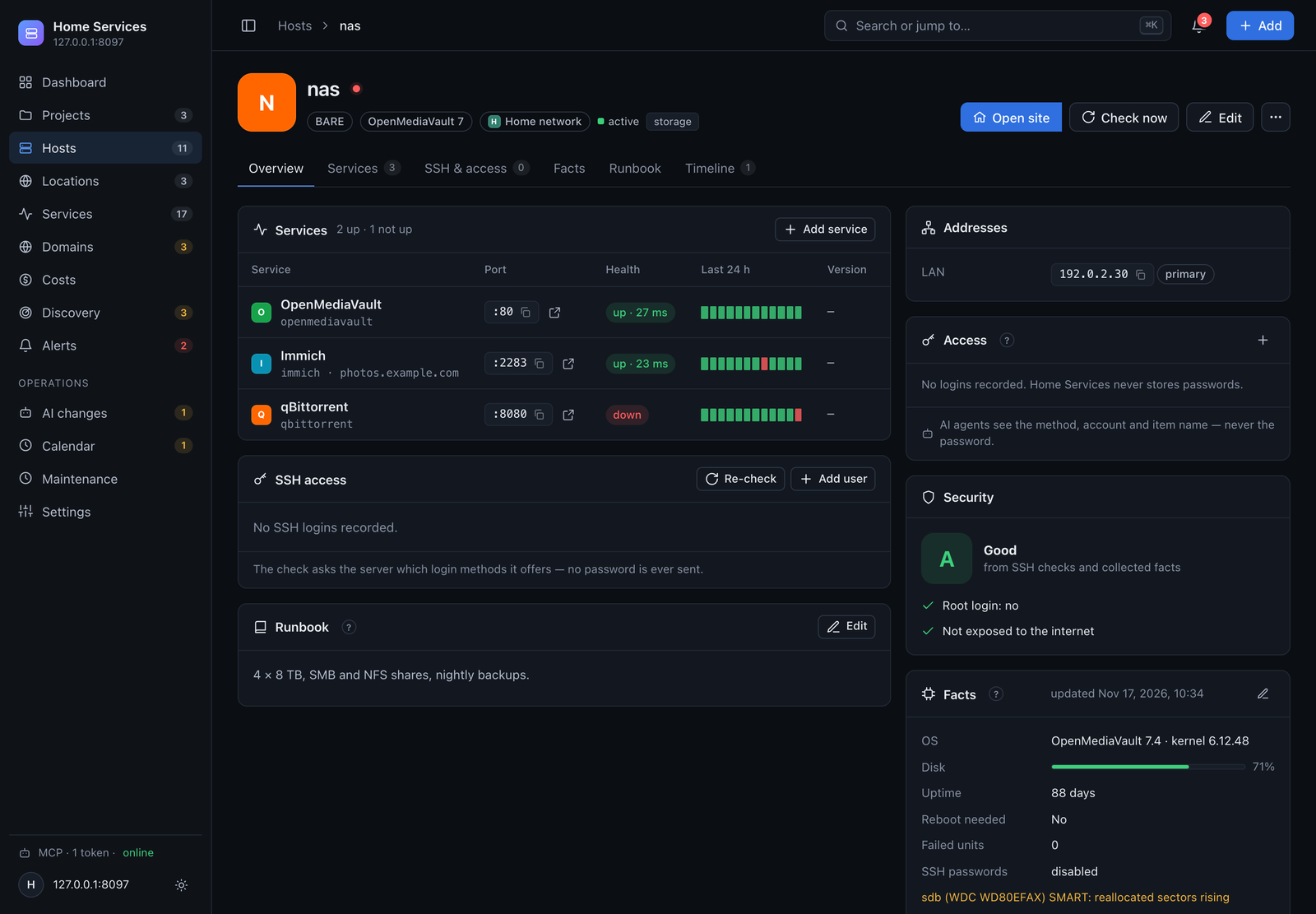
Services with live health, SSH posture (key-only or still accepting passwords), logins, facts like OS and uptime, a runbook and a timeline.
31 integrations, all read-only
Import instead of typing. Everything arrives as a changeset you review. Run two of the same (two Proxmox nodes?) — no problem. Turn on auto-sync and new VMs show up for review by themselves.
See what each one needs → · It can also export to Homepage, Ansible, Prometheus and NetBox.
Up and running in two minutes
One static binary, one SQLite file. No Node, no build step, no CDN, no telemetry.
# try it with a fictional demo lab
git clone https://github.com/Dumhouse/homepage.git && cd homepage
make build
HS_DATA=./demo-data ./bin/homeservices demo
HS_DATA=./demo-data ./bin/homeservices            # → http://localhost:8080

# or run it for real (amd64, arm64, armv7)
docker compose up -d                              # ghcr.io/dumhouse/homepage
By default there is no login — it is meant for a trusted network. Set HS_AUTH=password before exposing it anywhere else. Deployment guide →
Free, open source, yours
AGPL-3.0. Your data stays in one file on your hardware. Contributions — especially new integrations — are welcome.